
Features
What Courtora can do
Nine features at a glance, each with a screenshot. Click an image to enlarge it.
The screenshots show the English interface with sample data. Courtora is also available in German, French, and Spanish.
01 · For members
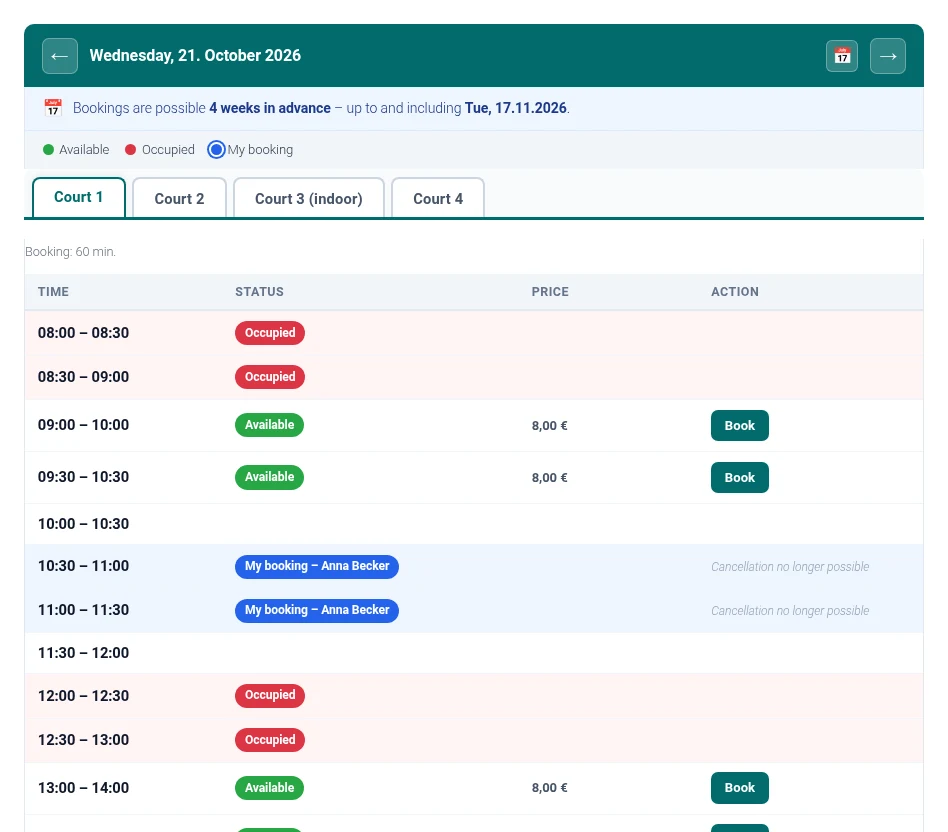
Daily view with court tabs
The default view for members: one tab per court, with the day’s time slots below. Use the arrows or the calendar to change the day.
- Free, booked and your own bookings are color-coded.
- A notice shows how far ahead you can book.
- The selected tab stays active after booking or changing the day.
02 · For members
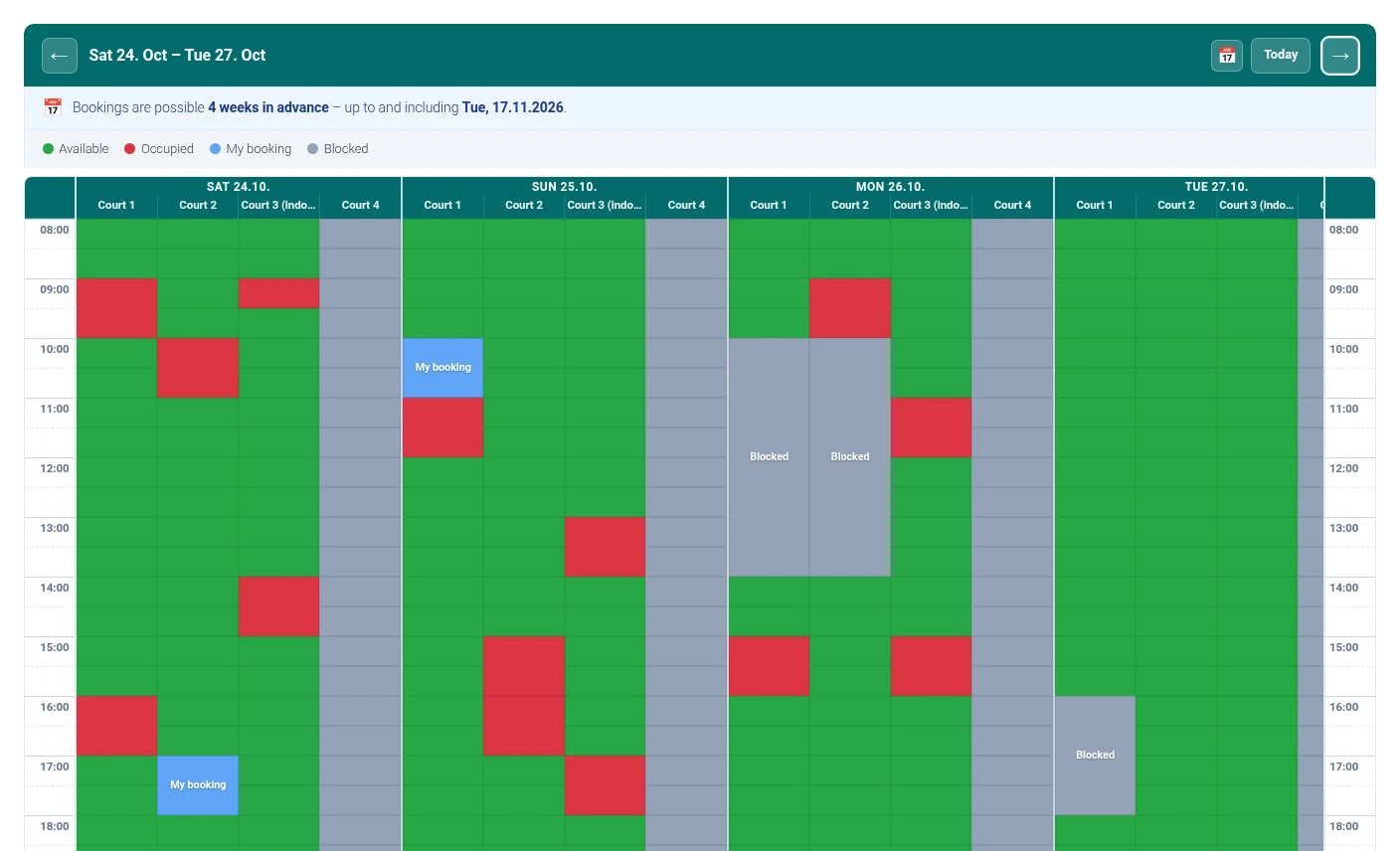
Grid view over several days
With view="grid" you see several days and courts side by side in 30-minute slots. Ideal for halls with several courts.
- Number of days per setting or attribute
days. - Courts that can’t be booked are greyed out with a notice; days outside the booking window are greyed out too.
- Below 768 px width it switches to the tab view automatically.
03 · For members
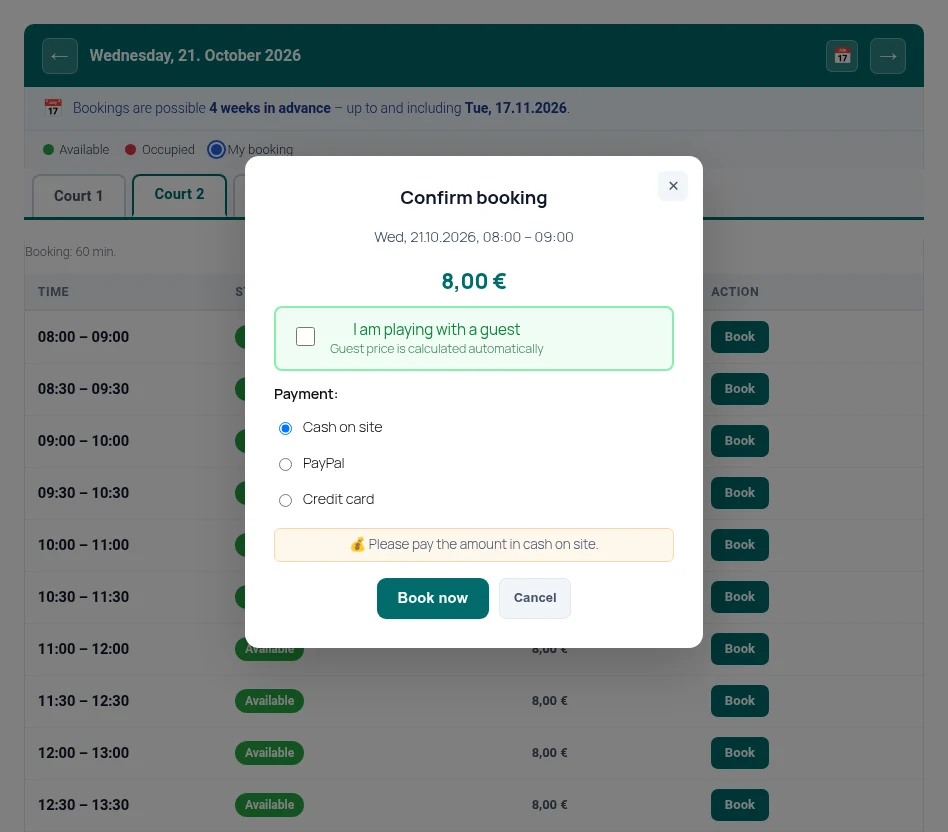
Booking dialog
A click on a free slot opens the dialog. It shows time, court and price, and one click completes the booking.
- Option “I’m playing with a guest” with its own price.
- Choice of payment method when online payment is enabled.
- Confirmation by email to the booker and the operator.
04 · For members
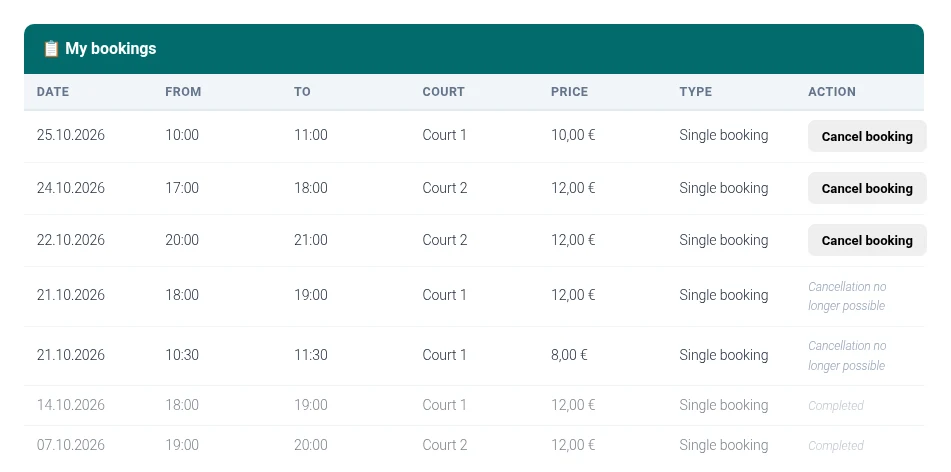
My bookings
With the shortcode [ctra_my_court_bookings] logged-in users see their upcoming and past bookings.
- Cancel within the configured cancellation period.
- Booking history at a glance.
- Cancellation notice to the booker and the operator.
05 · For the club
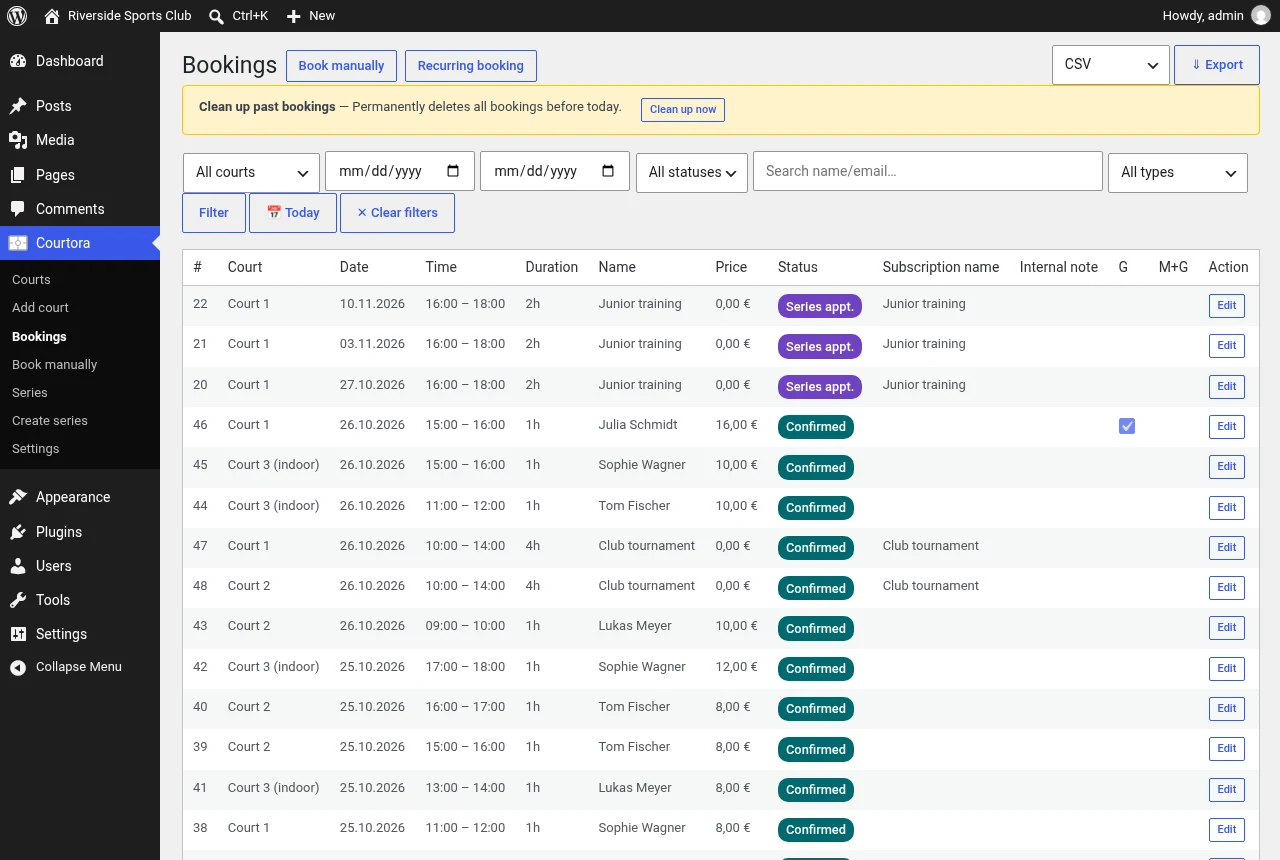
Booking overview and export
Under “Courtora → Bookings” you find all bookings with filters by court, period, status, type and name or email.
- Edit and cancel bookings.
- Export as CSV or Excel.
- Permanently purge past bookings before a cut-off date.
06 · For the club
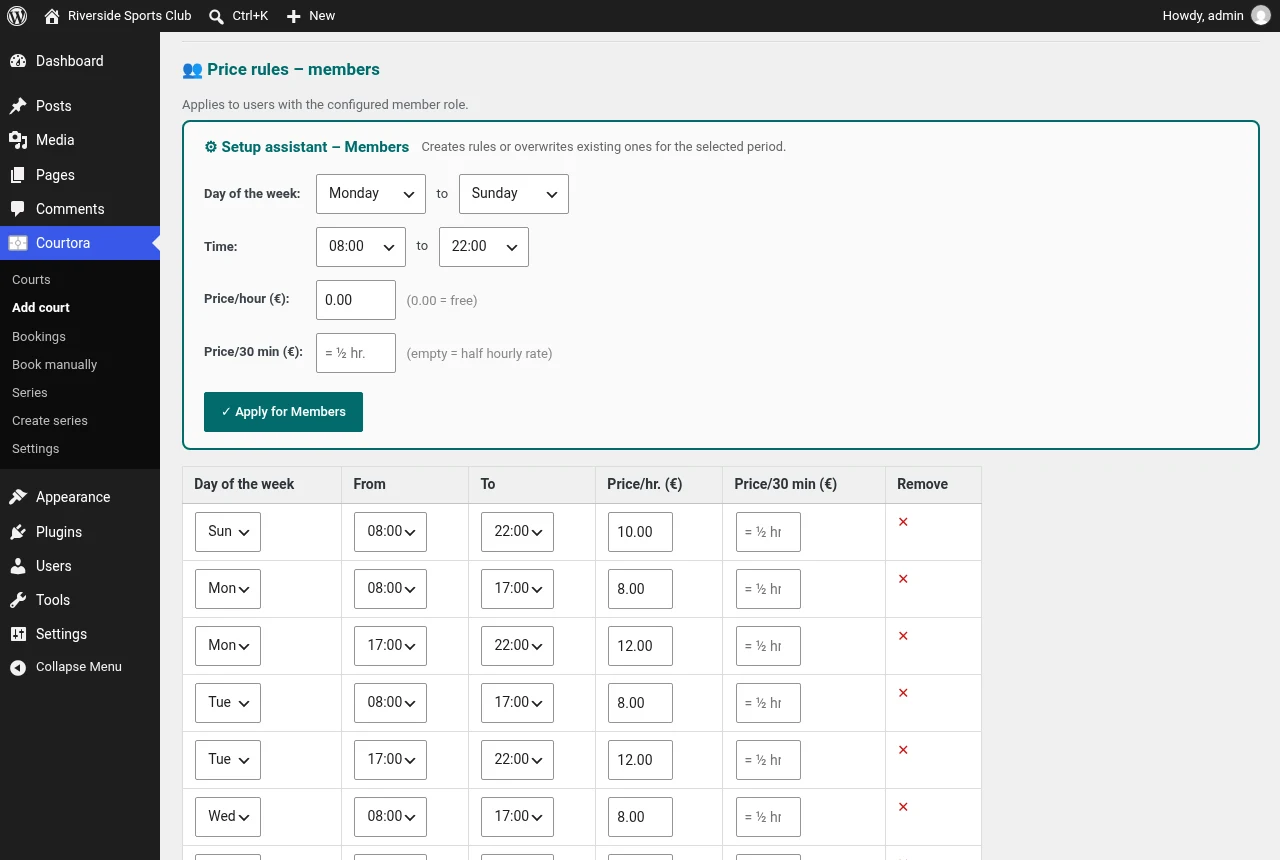
Price rules for members and guests
Each court has three independent price tables: members, guests, and member with guest.
- Prices by weekday and time of day, per hour or per 30 minutes.
- Setup assistant for whole weekday ranges.
- Copy a court including its pricing rules with one click.
07 · For the club
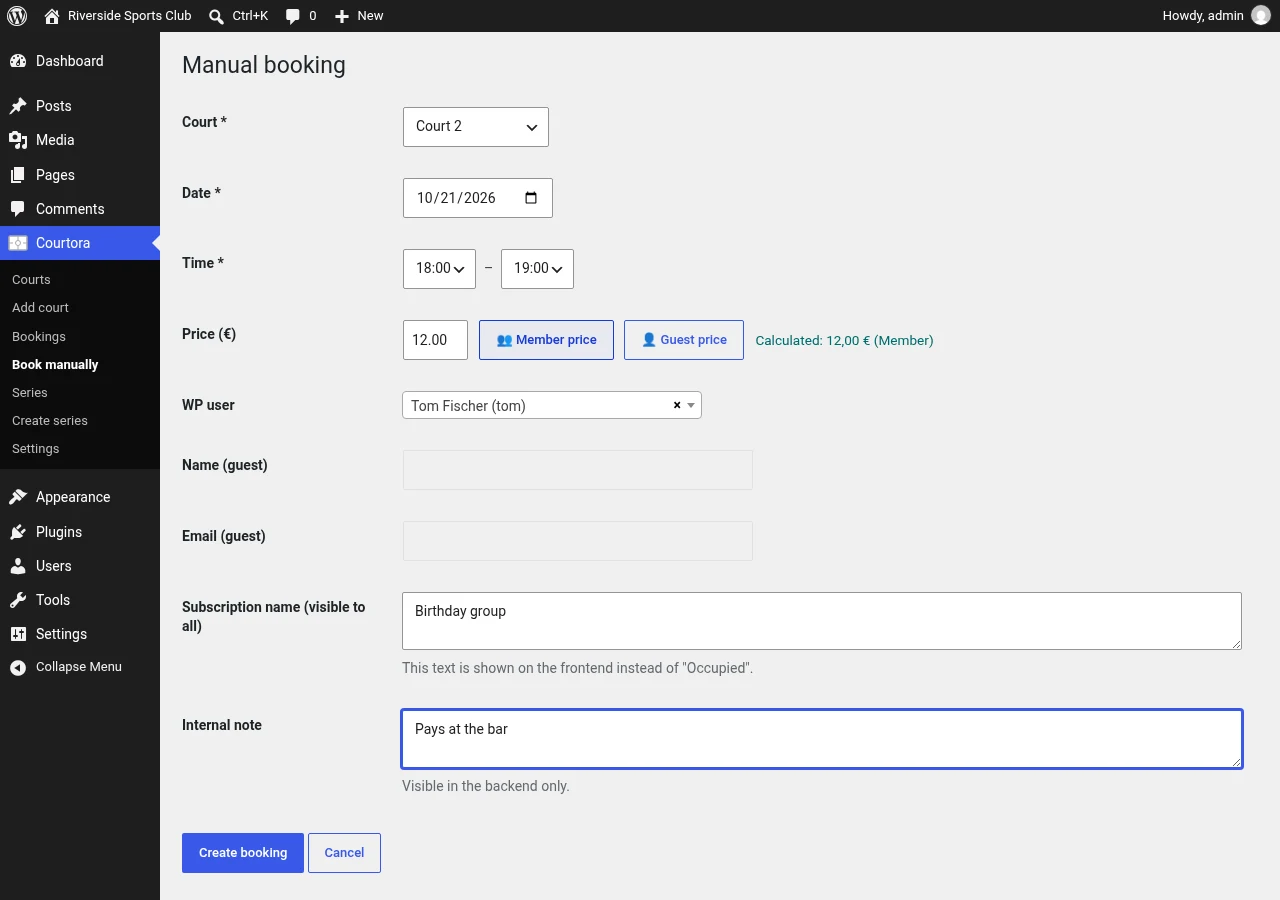
Manual booking
Under “Courtora → Book manually” you enter bookings for members, guests or events.
- No daily, weekly or duration limits for administrators.
- Any price you like, including €0 for free bookings.
- If bookings overlap, you are asked whether the existing booking should be cancelled.
08 · For the club
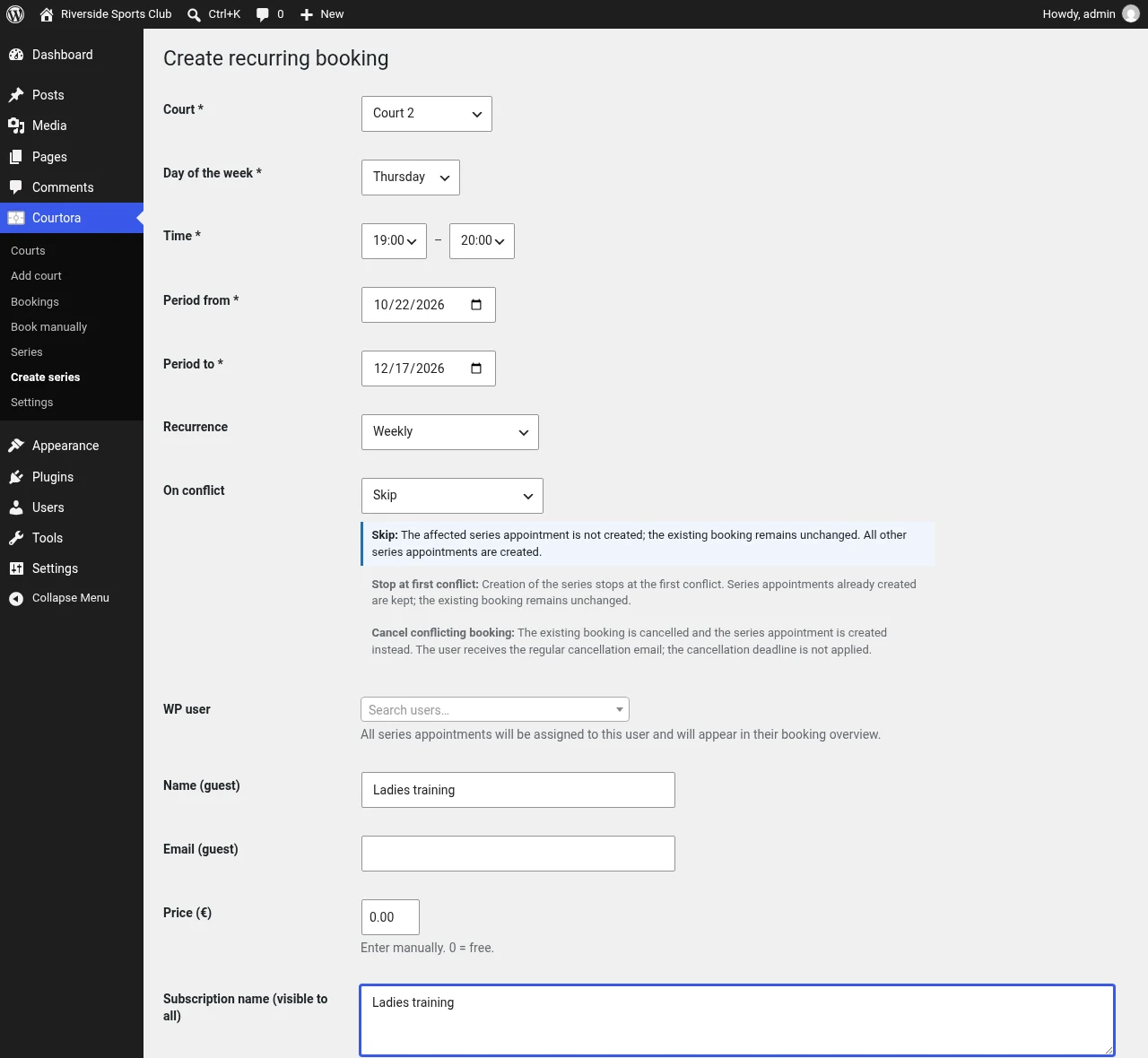
Recurring bookings
You set up training, team matches or courses as recurring bookings: court, weekday, time, period and repetition.
- On conflicts: skip, abort, or cancel the existing booking.
- Confirmation prompt before every cancellation.
- Affected users are notified by email automatically.
09 · For the club
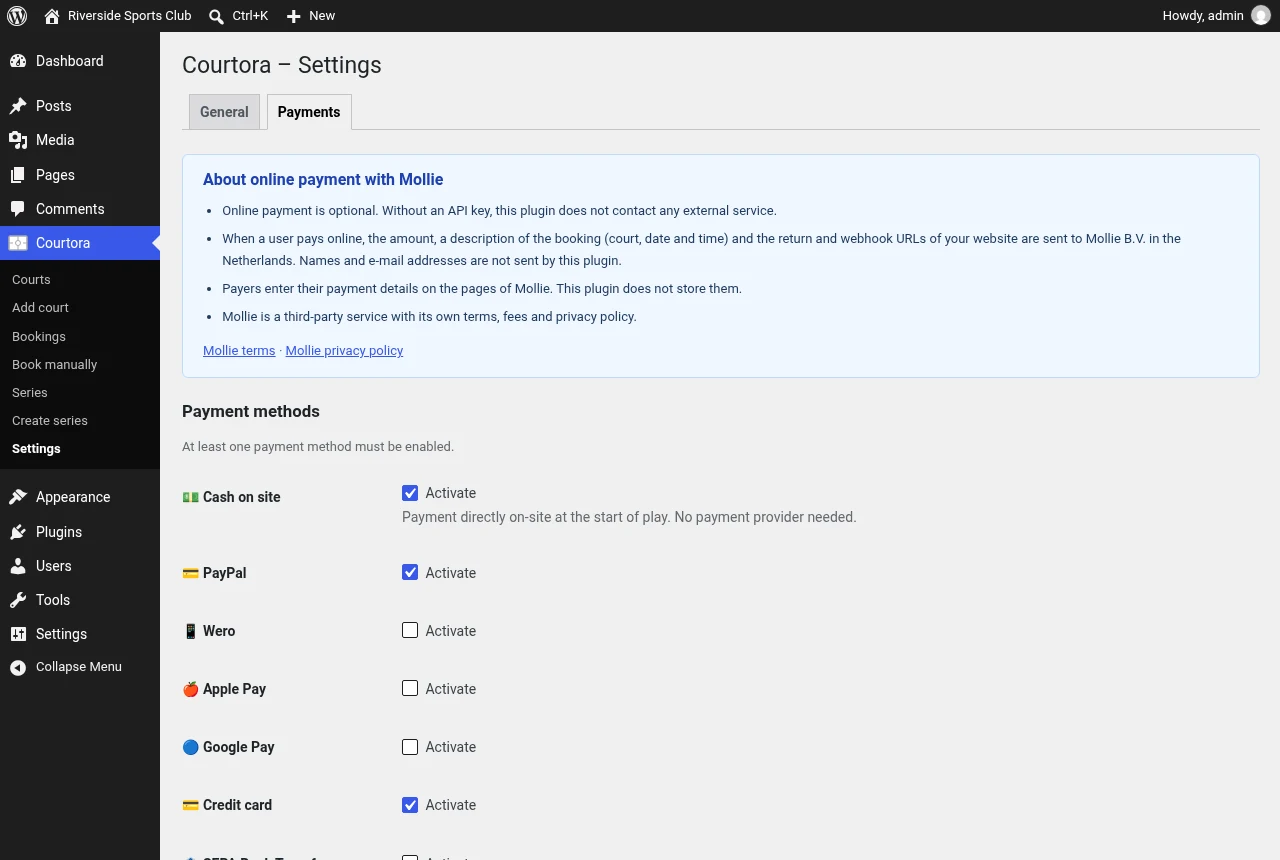
Optional online payment via Mollie
Online payment is optional. With a Mollie API key, you can offer PayPal, Wero, Apple Pay, Google Pay, credit card, or bank transfer.
- Payment takes place on Mollie’s pages; Courtora does not process any payment data.
- Connection test directly in the settings.
- Without a key there is no connection to external services; cash payment on site remains possible.
Also on board
Email templates
Subject and text for booking and cancellation are freely editable, with placeholders such as {name} or {date}.
Booking limits
Maximum bookings per day and week, separately for members and guests, plus an advance booking window.
Privacy tools
Suggested text for the privacy policy, data export and anonymization via the WordPress tools.
Status colors
Colors for Free, Booked, My booking and Blocked, plus header and buttons to match your club design.
Multilingual
English as the source language, with translations into German, French and Spanish.
Cache-proof
Booking pages send no-store headers, so visitors always see current availability.